


I Spy Text Find Any Word in Print with Your Camera
Like Ctrl+F for books, manuals, and medication labels — on iPhone and iPad.

14-day free trial · iPhone & iPad · iOS 18 or later
Instant Live Camera Text Search
Type your search term and point your iPhone or iPad at a page. The app highlights every match in books, manuals, labels, and more as soon as the camera sees it. Real-time OCR (text recognition) runs on your device and supports 30+ languages. 1
How It Works
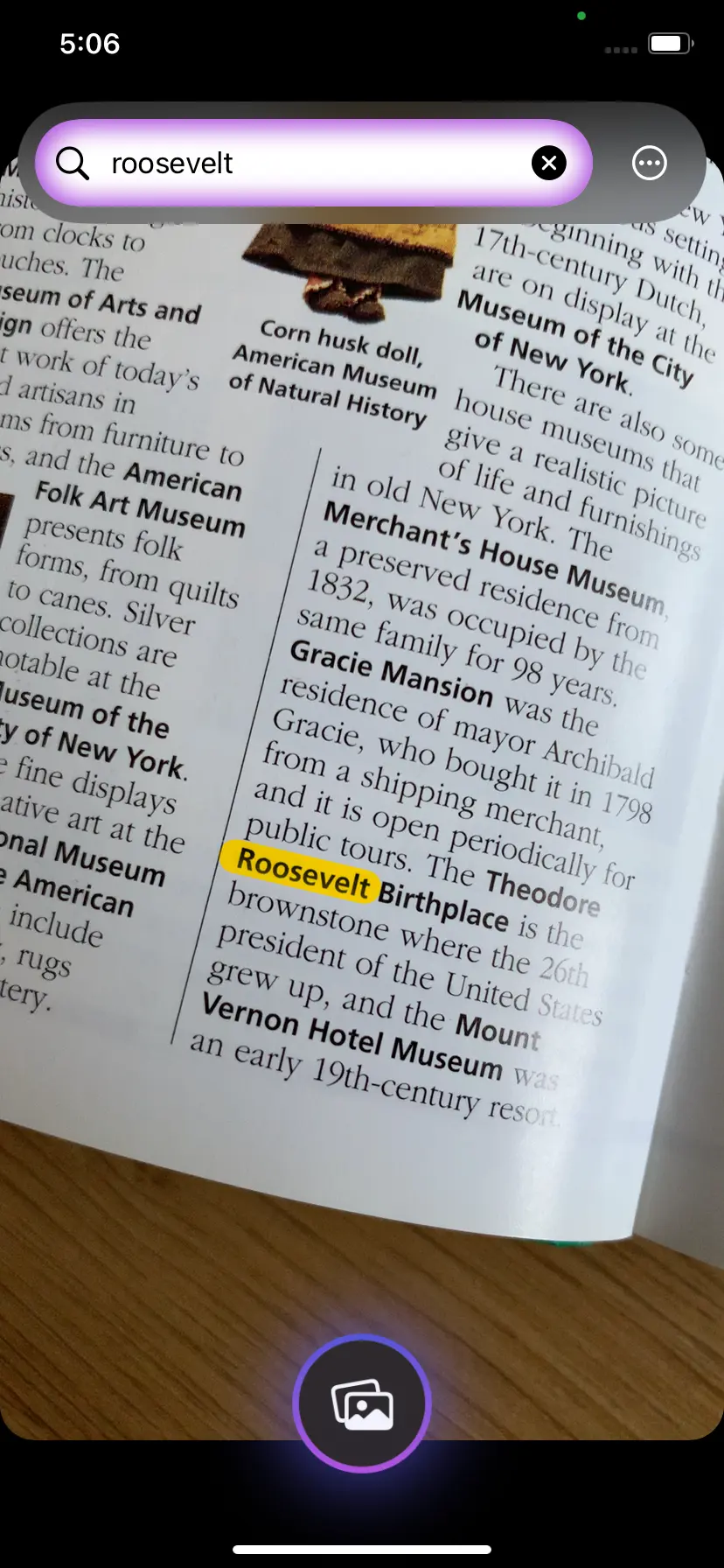
I Spy Text is an iPhone and iPad app that works like Ctrl+F for printed text. Type a word, point your camera at a page, and the app highlights every match live — no photos, no scanning.
-
Type a Word
Enter the word or phrase you are looking for. More than 30 Latin-script languages are supported.
-
Point Your Camera
Hold your iPhone or iPad over a book page, a manual, a medication label, or a bookshelf.
-
See It Highlighted
Every match is highlighted live on the screen, even when it is split across lines or printed sideways.
Find Important Information Quickly
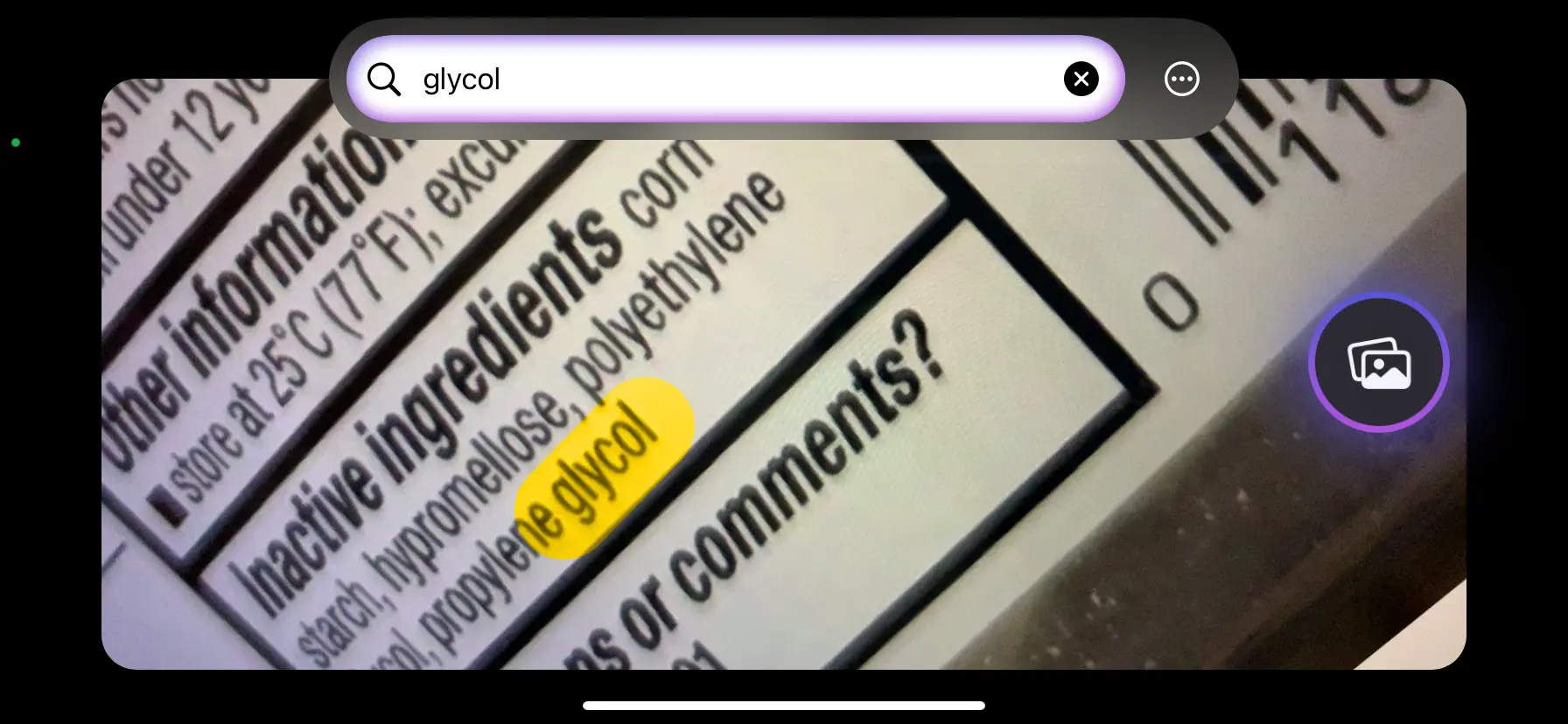
Easily find key information on medication labels and in other important documents. Just point your camera and let the app do the rest.
I Spy Text turns your camera into a powerful word finder.
I Spy Text Goes Beyond Basic Search
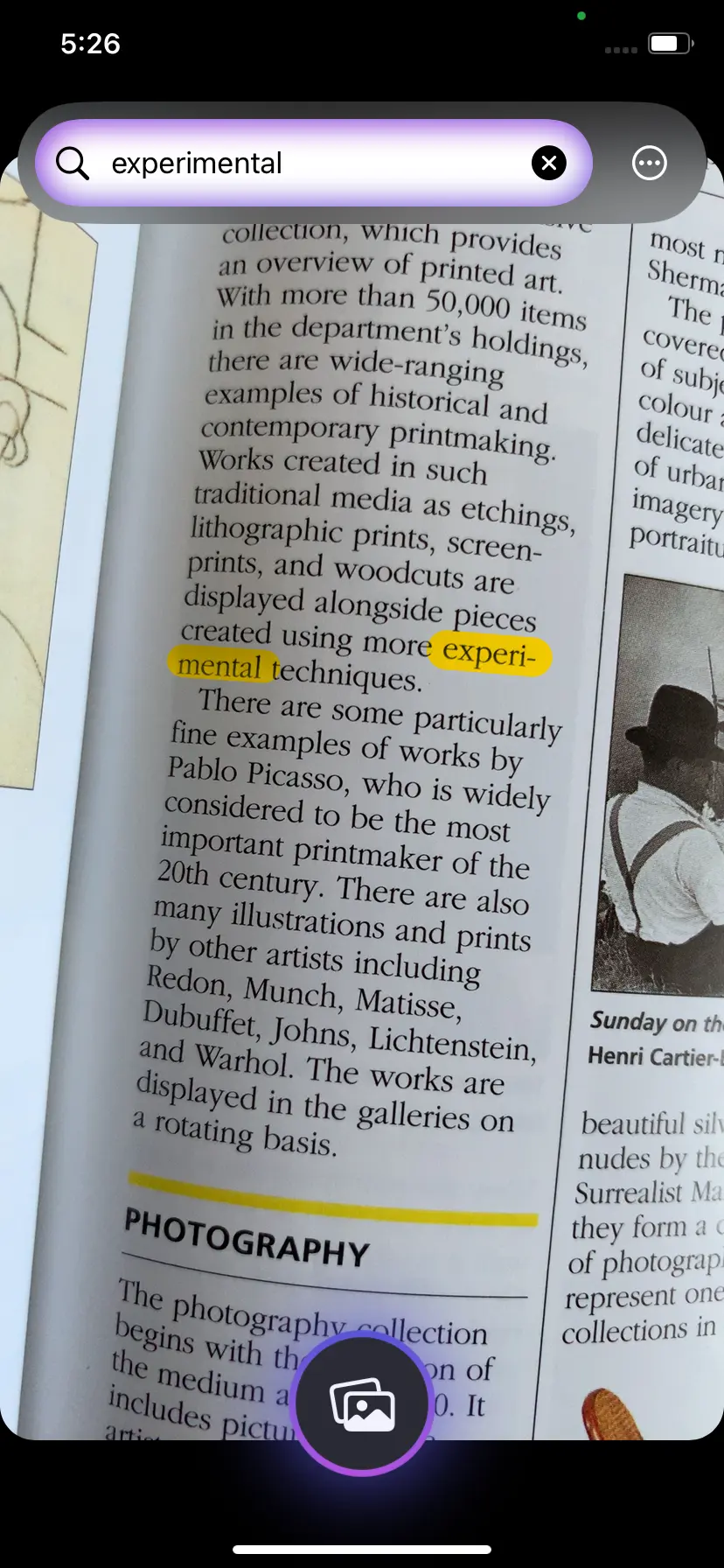
It finds your search term even when it is split across multiple lines or printed in different orientations.
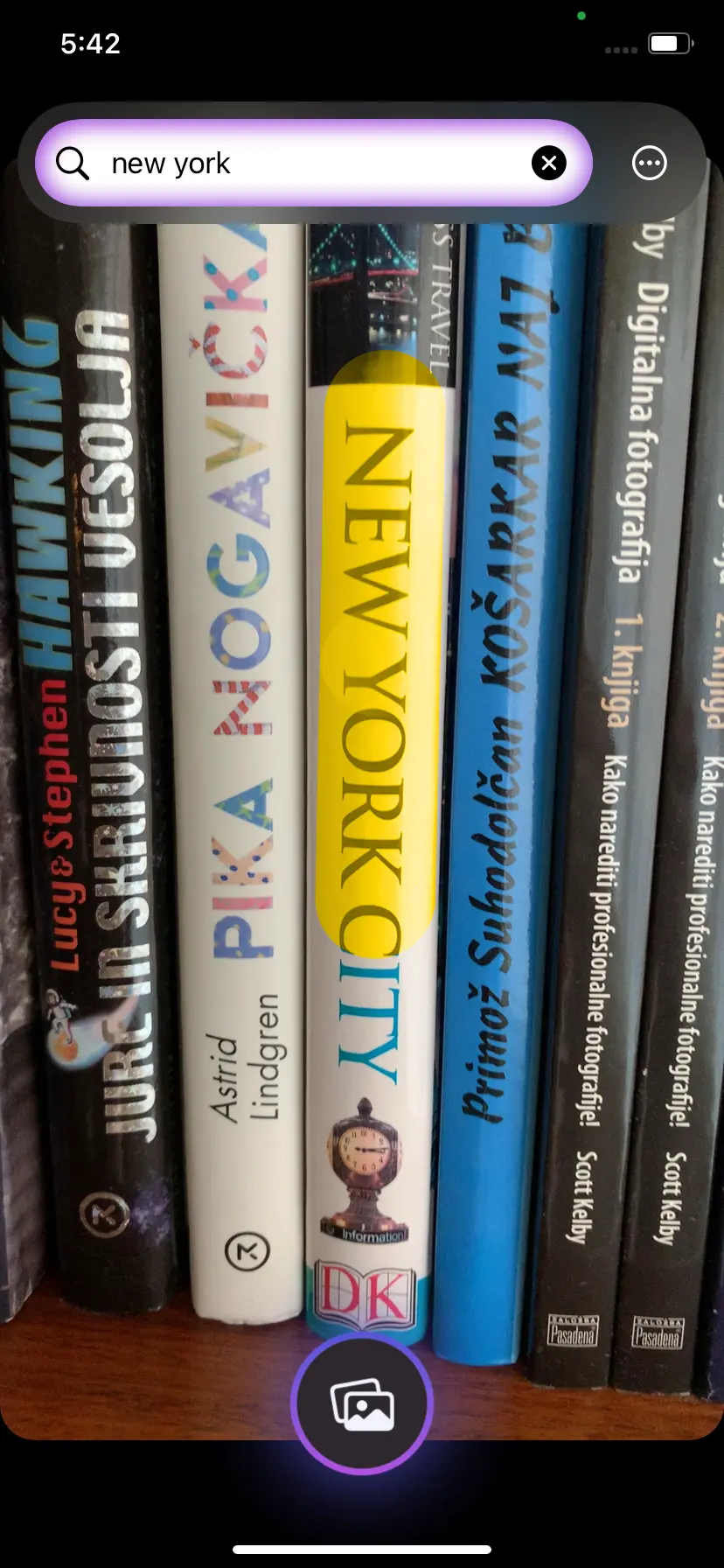
Search for several words at once or for an exact phrase. This makes it easy to search inside your books or to find a specific title on a crowded library shelf.
Key Features
30+ Languages Supported 1
Optional Audio Feedback
Export Found Text to Photos
Search History for Quick Repeats
Who Is I Spy Text For?
Students and Researchers
Find a key term, a name, or a date in a textbook, printed article, or library book without reading every page. Useful when a book has no index or the index does not list what you need.
Patients and Caregivers
Quickly locate an active ingredient or a dosage section on a medication leaflet, or check a food package for an allergen. Helpful for anyone who finds small print hard to scan.
Book Lovers and Librarians
Find a specific title or author on a crowded shelf. I Spy Text reads vertical book spines, so you can sweep the camera along the shelf instead of tilting your head.
Anyone with a Printed Manual
Jump to the right setting in an appliance manual, look up an error code, or find a specific step in assembly or installation instructions.
Private by Design
Text recognition runs entirely on your iPhone or iPad. Camera images and the words you search for never leave your device and are not sent to any server.
Try I Spy Text Free for 14 Days
Download I Spy Text from the App Store and start your 14-day free trial. To keep using the app after the trial, choose a monthly or yearly subscription, or pay once with a lifetime purchase. Subscriptions can be canceled anytime in your App Store account settings; the lifetime purchase has no recurring charges.
Frequently Asked Questions
What is I Spy Text?
I Spy Text is an iPhone and iPad app that works like Ctrl+F for the real world. You type a word or phrase, point your camera at printed text, and the app uses real-time OCR (text recognition) to highlight every match live on the screen — in books, documents, manuals, medication labels, and more.
How do I search for a word in a book with my iPhone camera?
Open I Spy Text, type the word or phrase you are looking for, and point your iPhone or iPad camera at the page. As soon as the camera sees the term, the app highlights it on screen. There is no need to take a photo or scan the page first.
Do I need to take a photo or scan the page first?
No. I Spy Text searches the live camera view in real time. Move your device across a page, a shelf, or a label, and matches are highlighted instantly while you look.
Does I Spy Text find words split across two lines or printed sideways?
Yes. I Spy Text finds your search term even when it is split across multiple lines or printed in a different orientation, for example on book spines. This makes it easy to find a specific title on a crowded library shelf.
Can I search for several words at once?
Yes. I Spy Text can highlight several different words at the same time, or only an exact phrase. You can choose which search mode you prefer in the app.
What can I use I Spy Text for?
Common uses include finding a key term in a textbook or physical book, locating an ingredient or active substance on a medication label, finding a setting in a printed manual, spotting a name in a document or list, and finding a book title on a library or bookstore shelf. It is especially useful for students and researchers.
Which languages does I Spy Text support?
I Spy Text searches text written in Latin script. It fully supports 31 languages, including English, German, French, Spanish, Italian, Portuguese, Dutch, Polish, and Slovenian. Another 15 languages are available as experimental, and more than 100 other Latin-script languages are supported through mapping. Non-Latin scripts such as Cyrillic, Greek, Arabic, Chinese, or Japanese are not supported. See the full language list.
Is my camera data private?
Yes. Text recognition runs on your device using Apple’s Vision framework and Google ML Kit, with ML Kit’s network requests blocked. Camera images and the text you search for are not sent to any server. Read the Privacy Policy for details.
Can I save or share the text I found?
Yes. You can export found text with its highlight to the Photos app and share it from there like any other photo. The app can also play an optional sound when a match appears, so you know it found something without watching the screen.
Does I Spy Text remember my previous searches?
Yes. I Spy Text keeps a search history, so you can quickly repeat a previous search without typing the word or phrase again.
Which iPhones and iPads does I Spy Text work on?
I Spy Text works on iPhone with iOS 18 or later and on iPad with iPadOS 18 or later. The app interface is available in English, French (France and Canada), German, Italian, Portuguese (Portugal and Brazil), and Spanish.
Is I Spy Text free?
I Spy Text is free to download and includes a 14-day free trial. To keep using the app after the trial, choose a monthly subscription, a yearly subscription, or a one-time lifetime purchase. Subscriptions are billed through the App Store and can be canceled anytime in your App Store account settings. See the Terms of Service.
Can I buy I Spy Text once instead of subscribing?
Yes. Besides the monthly and yearly subscriptions, I Spy Text offers a lifetime purchase. It is a one-time in-app purchase through the App Store, not a subscription, so there are no recurring charges.
How do I get help with I Spy Text?
Email support@natasadev.com with your question or feedback, or use the feedback option inside the app.
I Spy Text supports text search in Latin script.
Supported Languages: Afrikaans, Albanian, Catalan, Croatian, Czech, Danish, Dutch, English, Estonian, Filipino, Finnish, French, German, Hungarian, Icelandic, Indonesian, Italian, Latvian, Lithuanian, Malay, Norwegian, Polish, Portuguese, Romanian, Serbian, Slovak, Slovenian, Spanish, Swedish, Turkish, Vietnamese
Experimental Languages: Azerbaijani, Basque, Bosnian, Cebuano, Esperanto, Galician, Haitian Creole, Irish, Javanese, Latin, Maltese, Swahili, Uzbek, Welsh, Zulu
Mapped Languages: Acehnese, Acholi, Adangme, Akan, Algonquinian, Araucanian/Mapuche, Asturian, Athabaskan, Aymara, Balinese, Bambara, Bantu, Batak, Bemba, Bikol, Bislama, Breton, Choctaw, Cree, Creek, Dakota, Duala, Efik, English (British), Ewe, Faroese, Fijian, Fon, French (Canadian), Fulah, Ga, Ganda, Gayo, Gilbertese, Gothic, Guarani, Hausa, Hawaiian, Herero, Hiligaynon, Iban, Igbo, Iloko, Kabyle, Kachin, Kalaallisut, Kamba, Kanuri, Khasi, Kikuyu, Kinyarwanda, Kongo, Kosraean, Kuanyama, Lingala, Low German, Lozi, Luba-Katanga, Luo, Madurese, Malagasy, Mandingo, Manx, Maori, Marshallese, Mende, Middle English, Middle High German, Minangkabau, Mohawk, Mongo, Nahuatl, Navajo, Ndonga, Niuean, North Ndebele, Northern Sotho, Nyanja, Nyankole, Nyasa Tonga, Nzima, Occitan, Ojibwa, Old English, Old French, Old High German, Old Norse, Old Provencal, Pampanga, Pangasinan, Papiamento, Portuguese (Portugal), Quechua, Romansh, Romany, Rundi, Samoan, Sango, Scots, Scottish Gaelic, Shona, Songhai, Southern Sotho, Spanish (Latin American), Sundanese, Swati, Tahitian, Temne, Tongan, Tsonga, Tswana, Venda, Western Frisian, Wolof, Xhosa, Yoruba, Zapotec
Page last updated: .
I Spy Text is a trademark of Nataša Petek. iPhone, iPad, and App Store are trademarks of Apple Inc., registered in the U.S. and other countries.
I Spy Text is available on the App Store. Compatible with devices running iOS 18+ or iPadOS 18+. Title availability is subject to change. Available in English, French (France), French (Canada), German, Italian, Portuguese (Brazil), Portuguese (Portugal), and Spanish. Features are subject to change. The app and/or some features may not be available in all regions or all languages. I Spy Text offers a 14-day free trial. A monthly or yearly subscription, or a one-time lifetime purchase, is required to use the app after the trial period. See Terms of Service and Privacy Policy.
Writing about I Spy Text? See the press kit.