Futuristic Browser Homepage Experience For Smart TVs


«Designed for televisions, remotes and futuristic browser experiences.»
---📺 About Astra
ASTRA is a futuristic AI powered browser homepage interface specially designed for Smart TVs, Android TV systems, Fire TV devices and remote-based navigation environments.
Unlike traditional browser homepages, Astra focuses on:
- television-friendly layouts
- focus-based navigation
- cinematic visuals
- large UI elements
- smooth directional movement
- lightweight rendering
- couch-friendly browsing experience
Astra transforms ordinary TV browsers into a modern dashboard-style interface.
✨ Main Features
- Full Remote Navigation
- Full Keyboard Support
- Full Virtual and Physical Mouse Support
- Full Game Controller Support
- Full Touchscreen Support
(Virtual Mouse Recommended)
Astra includes a fully custom TV navigation engine designed for D-pad movement systems.
Navigation Features
- Directional focus movement
- Focus glow animations
- Smart focus detection
- Auto element tracking
- Smooth navigation transitions
- TV-safe movement zones
🌌 Futuristic TV UI
The interface is heavily inspired by:
- modern TV operating systems
- cinematic dashboard layouts
- futuristic launcher interfaces
UI Includes
- Glassmorphism effects
- Blur backgrounds
- Dynamic glow lighting
- Animated focus borders
- Large interactive cards
- Modern dark theme
Introducing Astra Cloud Sync — keep your Astra experience available anywhere and on any device.
With Cloud Sync, your preferences, saved sites, customizations, and supported Astra data can be securely synced across devices, so you can continue where you left off.
How it works
- Sign in or create an Astra account.
- Enable Cloud Sync.
- Your supported Astra data will automatically sync across your connected devices.
Important
- Cloud Sync is completely optional.
- Astra works perfectly in Local Mode without an account.
- If you choose to use Cloud Sync, sign in or sign up is required to securely store and sync your data.
Why use Cloud Sync?
✓ Access your Astra data anywhere ✓ Keep your experience consistent across devices ✓ Easy backup and restoration of supported data ✓ Seamless synchronization between signed-in devices
You stay in control — use Astra locally, or enable Cloud Sync whenever you need it.
Astra AI is the smart assistant built into Astra TV Browser Homepage. It can understand natural language commands and quickly help you navigate the web. Simply type commands like "open YouTube", "open Google", or "open Netflix", and Astra AI will automatically take you to the requested website.
Features:
🤖 Smart AI-powered command recognition 🎤 Voice search support 🌐 Direct website opening with simple commands ⚡ Fast and easy TV-friendly navigation 📺 Designed for Smart TVs, streaming devices, and browsers
Important Notice:
Astra AI will automatically recognize supported commands and take you directly to the requested destination. 🚀🌌
⚡ Lightweight Performance
Astra is optimized for:
- Fire TV Stick
- Android TV boxes
- low-end Smart TVs
- slower processors
- limited RAM environments
Performance Optimizations
- Lightweight rendering
- Fast loading speed
- Optimized focus engine
- Minimal memory usage
- Smooth transitions
- TV-friendly animations
Multi-Input Compatibility
ASTRA is not limited to television remotes only.
It supports multiple interaction systems.
✅ Supported Input Methods
Input Method| Compatibility TV Remote| ✅ Mouse| ✅ Keyboard| ✅ Game Controller| ✅ | Touchscreen
Note: All future updates will be shown in this table only.
| Date | Update |
|---|---|
| 27 May 2026 | Added Remote Navigation On/Off Toggle |
| 28 May 2026 | Added Voice Search Support |
| 29 May 2026 | Improved Voice Search UI and Fixed Multiple Bugs |
| 29 May 2026 | Added Weather Widget |
| 29 May 2026 | Added Custom Background Support Using Image URLs |
| 31 May 2026 | Added Menu button, middle line is a hidden menu button |
| 2 June 2026 | Major Update: Added Astra AI |
| 2 June 2026 | Added Most Visited |
| 2 June 2026 | Added a 'x' button at most visited so that you can delete it |
| 2 June 2026 | Fixed remote navigation |
| 3 June 2026 | Major Update: Added cloud storage option |
📺 Supported Devices
✅ Device Compatibility
Device| Status
Android TV| ✅ Full Support
Fire TV Stick| ✅ Full Support
Fire TV Cube| ✅ Full Support
Mi TV Stick| ✅ Supported
Chromecast With Google TV| ✅ Supported
Nvidia Shield TV| ✅ Supported
Android TV Boxes| ✅ Supported
Smart TVs| ✅ Compatible
Desktop Browsers| ✅ | Computer | Mobile (
BASICALLY ALL YOU NEED IS TO HAVE A GOOD BROWSER TO RUN IT
🎮 Controller Compatibility
Astra supports:
- Bluetooth controllers
- Android gamepads
- USB controllers
- D-pad systems
- Console-style navigation
This creates a TV dashboard experience similar to gaming consoles.
🖱️ Mouse & Keyboard Support
Unlike many TV-focused interfaces, Astra also works smoothly with:
- mouse hover interactions
- cursor navigation
- keyboard movement
- desktop browsing
Perfect for:
- hybrid TV systems
- desktop testing
- browser development
🔥 Smart Navigation Toggle System
🆕 Remote Navigation ON/OFF Feature
One of Astra’s most advanced features is the ability to enable or disable the custom remote navigation system.
❓ Why This Exists
Some TV browsers already include native remote navigation systems.
Examples include:
- TV Bro
- Smart TV browsers
- Browser engines with built-in focus handling
Running both systems together may cause:
- double focus movement
- navigation conflicts
- broken focus detection
- glitchy movement behavior
✅ Astra Solution
Astra includes a dedicated:
🎮 Remote Navigation ON/OFF Toggle
Users can:
- disable Astra navigation engine
- use browser-native navigation
- prevent navigation conflicts
- switch systems instantly
This creates much better compatibility with TV browsers.
🧠 Navigation Architecture
REMOTE BUTTON PRESSED ↓ Astra Focus Engine Activated ↓ Closest Focusable Element Found ↓ Focus Highlight Applied ↓ Smooth TV Navigation Experience
🌠 Interface Design
UI Philosophy
Astra focuses on:
- visibility from distance
- cinematic browsing
- large interactive elements
- smooth animations
- futuristic aesthetics
🌙 Dark Theme
The interface is optimized for:
- night viewing
- OLED displays
- television environments
- low-light browsing
✨ Focus Glow Engine
Focused elements dynamically glow during navigation.
This creates:
- better visibility
- easier navigation
- immersive TV interaction
📦 Homepage Components
Included Homepage Modules
- Search bar
- Quick shortcuts
- TV-style cards
- Browser homepage widgets
- Shortcut sections
- Dynamic navigation system
- Custom backgrounds
- Focus animation engine
- Voice Search (May not work with fire tv)
🛠️ Technologies Used
Frontend Stack
Frontend:
- HTML5
- CSS3
- JavaScript
TV Engine
Navigation:
- Focus Detection
- Directional Navigation
- TV Remote Handling
- Dynamic Focus System
UI System
UI:
- Glassmorphism
- Blur Effects
- Glow Animations
- Dynamic Backgrounds
- Responsive Layouts
📊 Astra Interface Preview
┌─────────────────────────────────────┐ │ ASTRA TV │ ├─────────────────────────────────────┤ │ │ │ 🔍 Search The Web │ │ │ ├─────────────────────────────────────┤ │ 📺 YouTube 🎬 Movies │ │ 🌐 Browser 🎮 Games │ │ ⚙ Apps 📂 Files │ │ │ ├─────────────────────────────────────┤ │ Remote Navigation Active │ └─────────────────────────────────────┘
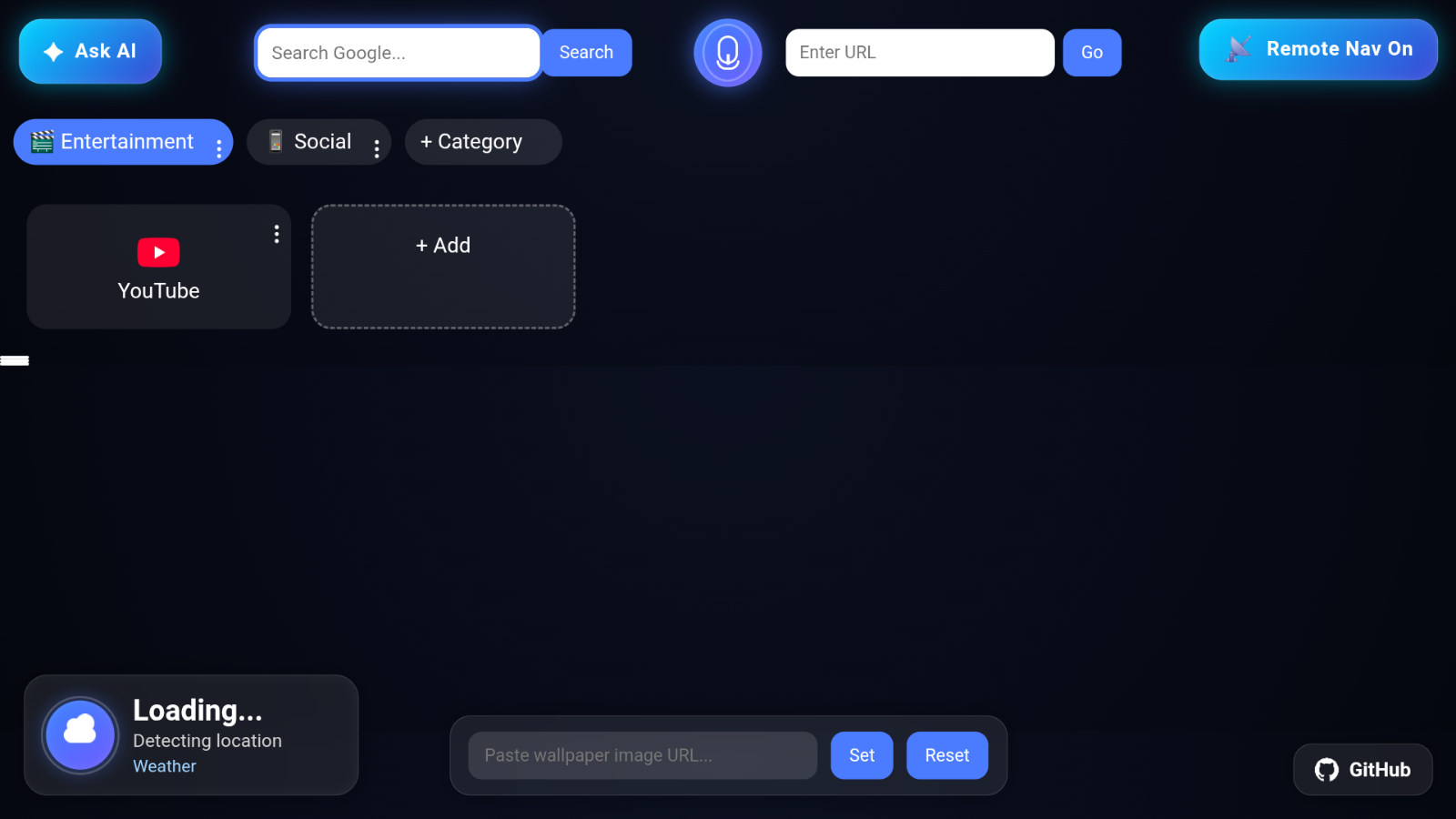
📸 Website Preview
WITHOUT CUSTOM BACKGROUND
WITH CUSTOM BACKGROUND
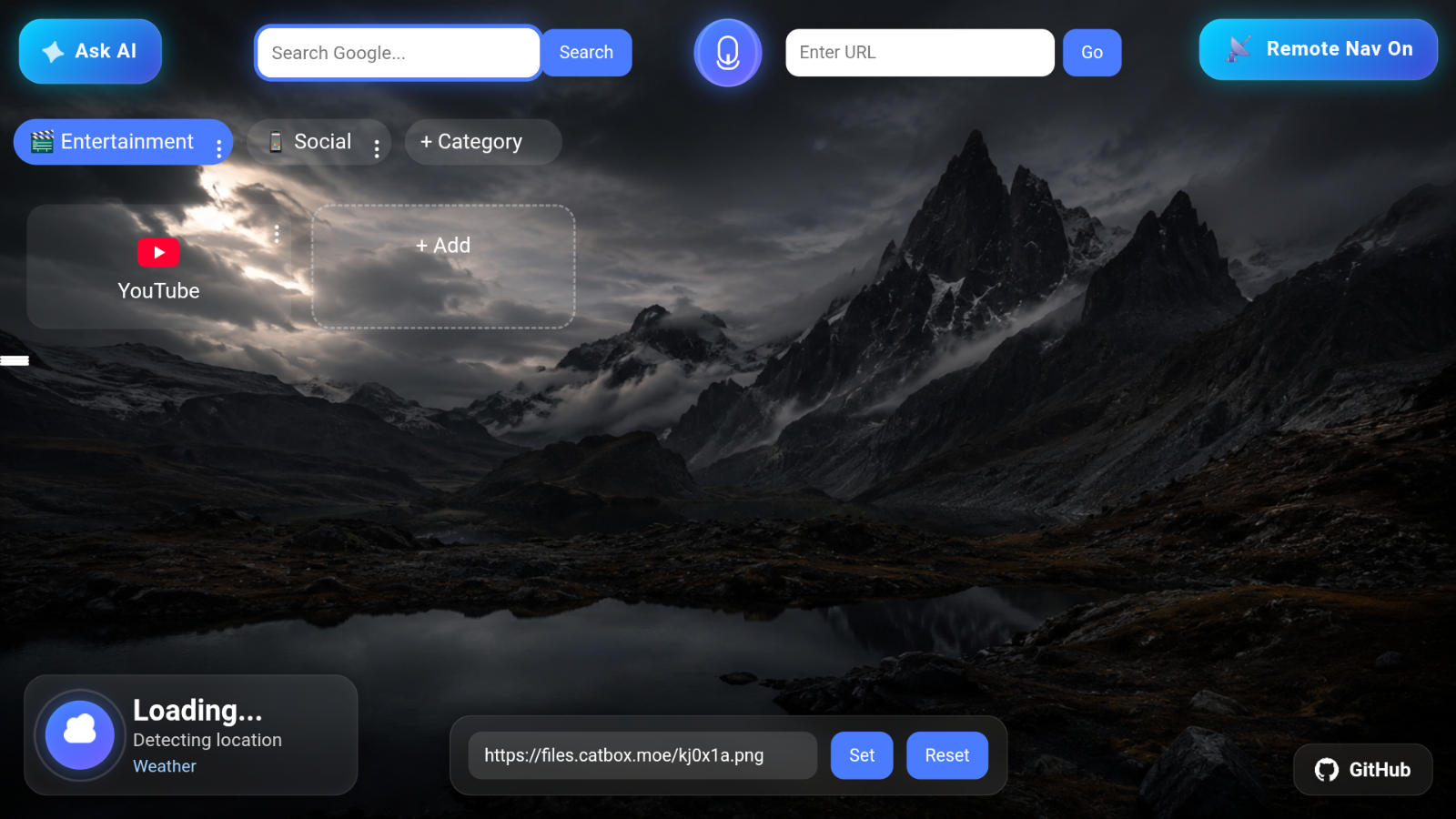
To add a custom image in background you need to have a link like https://example.com.jpg or png, If you don't have a link but have image on your device so you need to use catbox.moe this site let's you to create a live link of your files, upload your image and you will get a link like this https://files.catbox.moe/ud77t.jpg/ just paste that inside the custom image link box and BOOM 💥 you will immediately see you custom background. To remove, press reset.


Visit now:
https://v-dev-arch.github.io/Astra-Tv-Browser-Homepage-/
👨💻 Developer
Built for futuristic television experiences, Smart TV interfaces, and modern remote navigation systems.
⭐ Support The Project
If you like ASTRA:
- ⭐ Star the repository
- 📺 Share with TV users
- 🚀 Fork the project
- 💡 Suggest new features
- 🛠️ Contribute improvements
Smart TV Browser Homepage Experience
Built For Big Screens & Remote Navigation